
You can use the following syntax to get the previous month in Bash:
date --date='-1 month' +%B
This syntax will return the name of the previous month.
For example, if you execute this command during a day in August then this syntax will return July as a result.
Note that the + operator specifies the format to use for the date.
You can use one of the following options depending on how you would like to format the month:
- +%B: Format as full month name (“July”)
- +%b: Format as abbreviated month name (“Jul”)
- +%m: Format as month number with two digits (“07”)
- +%-m: Format as month number with minimum necessary digits (“7”)
The following example shows how to use this syntax in practice.
Example: How to Get Previous Month in Bash
This article is currently being written on August 20, 2024.
We can use the date command in Bash to return this current date:
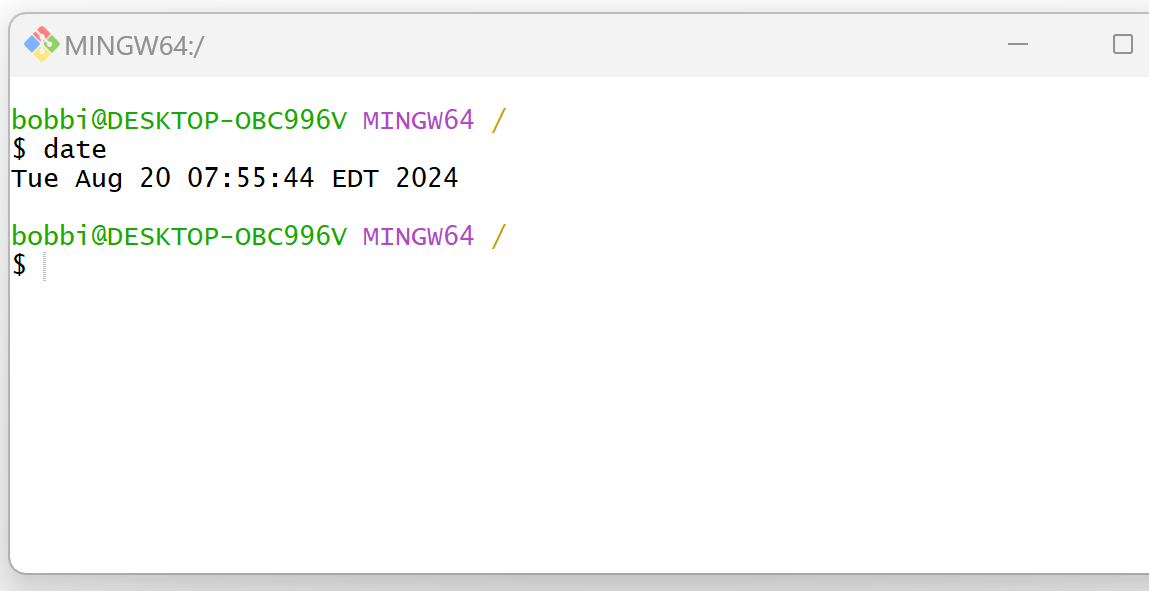
We can use the following syntax to return the full name of the previous month:
date --date='-1 month' +%B
The following screenshot shows how to use this syntax in practice:

This returns July, which is the full name of the previous month.
We could also use the following syntax to instead return the number of the previous month:
date --date='-1 month' +%-m
The following screenshot shows how to use this syntax in practice:

This returns 7, which represents the previous month (“July”) as a month number of the year.
Feel free to use the + operator to specify whatever date format that you would like to use.
Related Tutorials
The following tutorials explain how to perform other common tasks in Bash:
Bash: How to Extract Date from String
Bash: How to Get Last Day of Month
Bash: How to Format a DateTime
