
You can use the following syntax to get the next month in Bash:
date --date='+1 month' +%B
This syntax will return the name of the next month.
For example, if you execute this command during a day in August then this syntax will return September as a result.
Note that the + operator specifies the format to use for the date.
You can use one of the following options depending on how you would like to format the month:
- +%B: Format as full month name (“September”)
- +%b: Format as abbreviated month name (“Sep”)
- +”%B %Y”: Format as full month name and year (“September 2024”)
- +%m: Format as month number with two digits (“09”)
- +%-m: Format as month number with minimum necessary digits (“9”)
The following example shows how to use this syntax in practice.
Example: How to Get Next Month in Bash
This article is currently being written on August 20, 2024.
We can use the date command in Bash to return this current date:

We can use the following syntax to return the full name of the next month:
date --date='+1 month' +%B
The following screenshot shows how to use this syntax in practice:
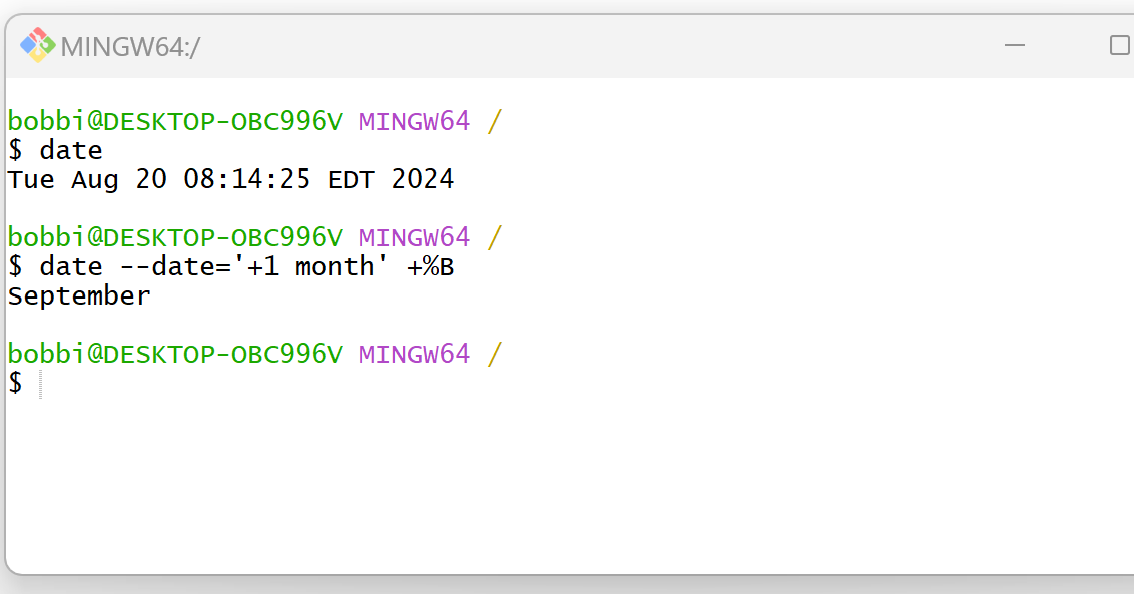
This returns September, which is the full name of the next month.
We could also use the following syntax to return the name of the next month along with the year:
date --date='+1 month' +"%B %Y"
The following screenshot shows how to use this syntax in practice:

This returns September 2024, which represents the next month along with the year.
Feel free to use the + operator to specify whatever date format that you would like to use.
Related Tutorials
The following tutorials explain how to perform other common tasks in Bash:
Bash: How to Extract Date from String
Bash: How to Get Last Day of Month
Bash: How to Format a DateTime
