
Often you may want to use Bash to find all files in a particular directory that end with a number.
You can use the following syntax to do so:
find . -type f -name '*[[:digit:]].txt'
This particular example will find all .txt files in the current directory that end with a number in the filename.
Here is what the various commands do:
- find .: Match all items in current directory
- -type f: Match only the files
- -name ‘*[[:digit:]].txt’: Match only files that end with a number
Note that you can also replace find . with find /some/directory/path to match all files in a specific directory.
The following example shows how to use this syntax in practice.
Example: How to Find All Files that End with Number in Bash
Suppose that our current directory is located at the following path:
- c:/users/bobbi/data2
We can use the ls command to first view all items in this directory:
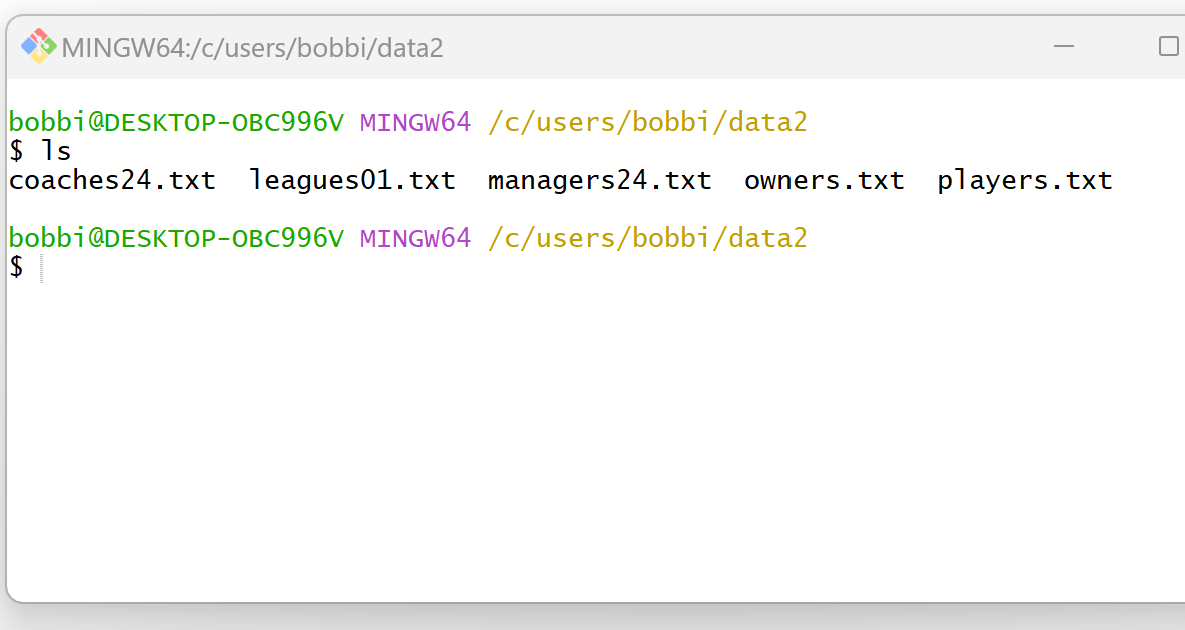
We can see that this directory contains the following files:
- coaches24.txt
- leagues01.txt
- managers24.txt
- owners.txt
- players.txt
Suppose that we would like to find only the files whose filenames end with a number.
We can use the following syntax to do so:
find . -type f -name '*[[:digit:]].txt'
The following screenshot shows how to use this syntax in practice:

This returns the following filenames:
- coaches24.txt
- leagues01.txt
- managers24.txt
Notice that each of these filenames ends with a number.
Feel free to use similar syntax to find the filenames in your own directory that end with a number.
Related Tutorials
The following tutorials explain how to perform other common tasks in Bash:
Bash: How to Find All Files that Start with Specific Pattern
Bash: How to Find All Files that Were Created Today
Bash: How to List All Files in Folder Without Extension
