
You can use the following syntax in Bash to convert seconds to hours, minutes and seconds:
date -d@$my_seconds -u +%H:%M:%S
This particular example will convert the number of seconds stored in the variable named my_seconds into hours, minutes and seconds formatted with a colon in between each time unit.
For example, if the variable named my_seconds contains the value 1023 then a value of 00:17:03 will be returned since 1,023 seconds is equivalent to 17 minutes and 3 seconds.
The following example shows how to use this syntax in practice.
Example: How to Convert Seconds to Hours, Minutes and Seconds in Bash
Suppose that we create a variable named my_seconds that contains the value 1023.
We can use the following syntax to convert the number of seconds stored in this variable into hours, minutes and seconds:
my_seconds=1023

date -d@$my_seconds -u +%H:%M:%S
The following screenshot shows how to use this syntax in practice:

Notice that this returns the following result:
- 00:17:03
This tells us that 1,023 seconds is equivalent to 17 minutes and 3 seconds.
If we’d like, we could also use the following syntax to only convert the seconds to minutes and seconds:
my_seconds=1023

date -d@$my_seconds -u +%M:%S
The following screenshot shows how to use this syntax in practice:
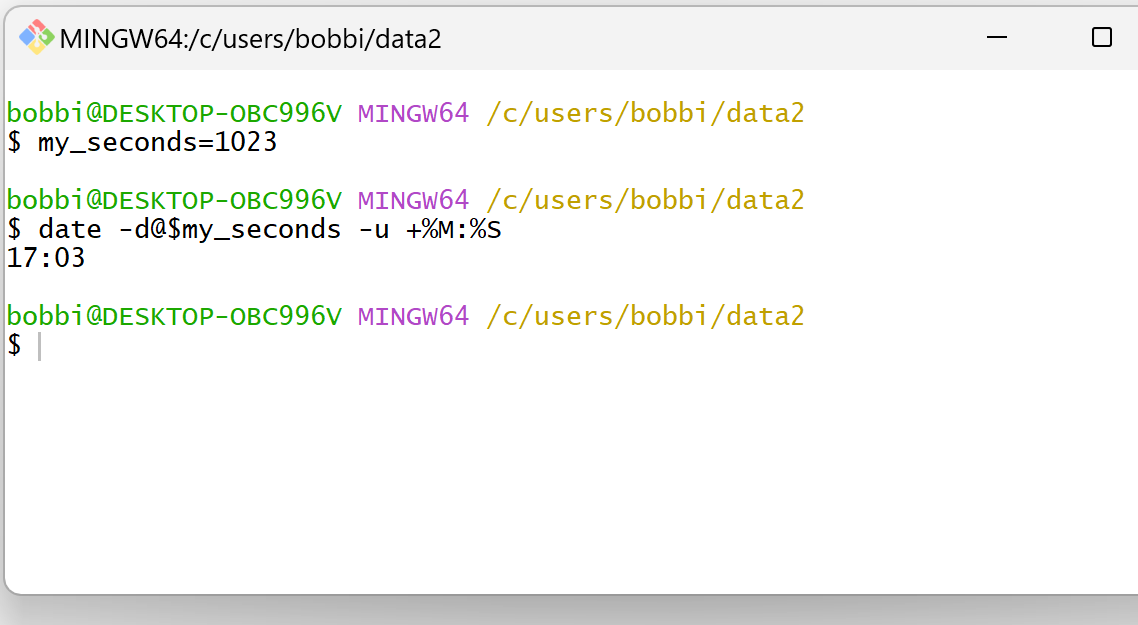
Notice that this returns the following result:
- 00:17:03
Feel free to use the + operator to format the seconds in any way that you would like.
Note: There should be no space between the + operator and the format that you specify for the time, otherwise you will receive an error.
Related Tutorials
The following tutorials explain how to perform other common tasks in Bash:
How to Compare Dates in Bash
How to Get Time in Milliseconds in Bash
How to Convert Timestamp to Date in Bash
How to Create a Timestamp Variable in Bash
