
Often you may want to use Bash to find all files in a particular directory that start with a specific pattern.
You can use the following syntax to do so:
find . -type f -name 'new*'
This particular example will find all files in the current directory that start with the pattern “new” in the filename.
Here is what the various commands do:
- find .: Match all items in current directory
- -type f: Match only the files
- -name ‘new*’: Match only files that start with the pattern “new” followed by another other ( * ) characters
Note that you can also replace find . with find /some/directory/path to match all files in a specific directory.
The following example shows how to use this syntax in practice.
Example: How to Find All Files that Start with Specific Pattern in Bash
Suppose that our current directory is located at the following path:
- c:/users/bobbi/data2
We can use the ls command to first view all items in this directory:

We can see that this directory contains the following files:
- managers.txt
- new_coaches.txt
- new_players.txt
- new_stats.csv
- owners.txt
Suppose that we would like to find only the files whose filenames start with the pattern new.
We can use the following syntax to do so:
find . -type f -name 'new*'
The following screenshot shows how to use this syntax in practice:
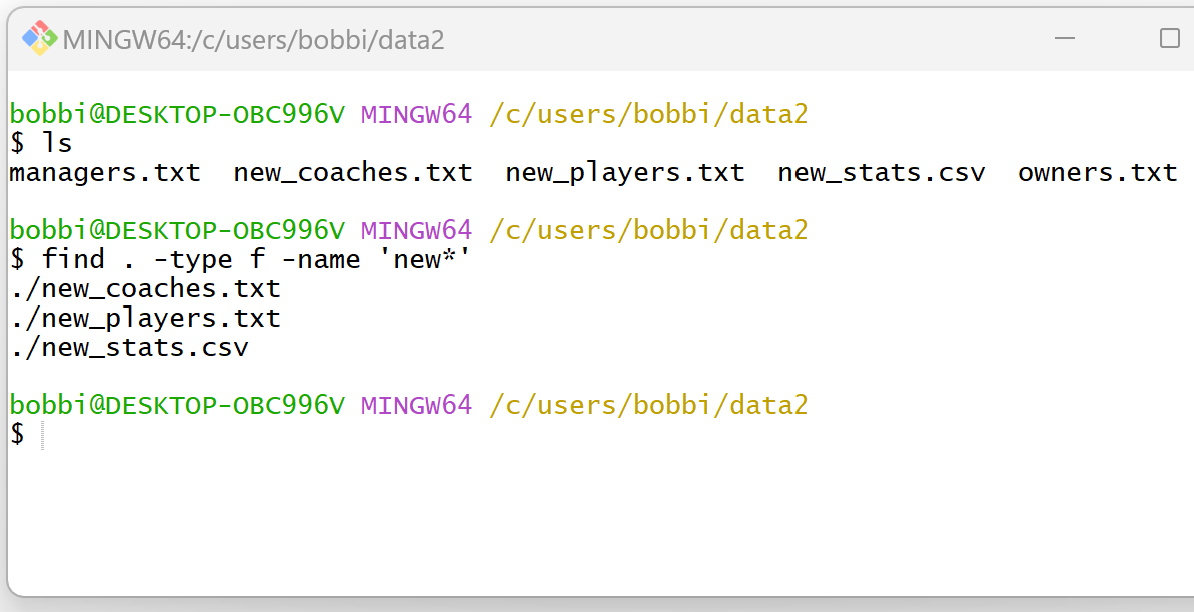
This returns the following filenames:
- new_coaches.txt
- new_players.txt
- new_stats.csv
Notice that each of these filenames starts with the pattern new.
Feel free to replace new with any other pattern that you would like.
Related Tutorials
The following tutorials explain how to perform other common tasks in Bash:
Bash: How to Use find -exec with grep
Bash: Use find and Exclude Specific Directory
Bash: How to List All Files in Folder Without Extension
Bash: How to Rename Extension of Multiple Files
